I recently had to research applications in the Chrome Web Store for one of my computer science classes to see what is currently available to Chrome users, and evaluate one application for prospective users. Doing so offers a template for comparing similar applications by allowing me - or you - to assessing the pros and cons of the current version of each app. I chose to explore productivity applications because I was having difficulty with Microsoft’s Outlook, and I found an app that is 10 times better and that has made my life easier by allowing me to keep track of tasks without cluttering up my calendar. The review below provides information on the "Wunderlist: To-Do List & Tasks" application and my analysis of how it works and why it is useful. If you need more reason to continue reading, then check out this Wall Street Journal video about Microsoft CEO Satya Nadella, who has the app on the homescreen of his smartphone.
1. Why did I choose this app?
I choose this app because at the start of the semester, I was having difficulty using Outlook.com or the Outlook that is part of an Mircrosoft Office package I was trying to use to try to organize my school due dates. Despite my frequent use of the other programs in the package, Outlook did not seem to recognize the fact that I had already activated my subscription via my product key. It continually asked me to activate it, or log in. Frustrated as I searched the web store, I found Wunderlist, a productivity app that is supported by a five-star rating and raving reviews online. I saw a possible solution to the hours of frustration I had experienced trying to input my deadlines. So I downloaded the web version, Mac version, and iPhone version immediately. I wanted a task manager for all of my class due dates -- my iCal is already full with all of my classes, meetings, sports schedules, and events, so I wanted something that would be exclusive to tasks. Wunderlist seemed like it might be just the app I needed.
2. What does "Wunderlist" do and how may it be helpful?
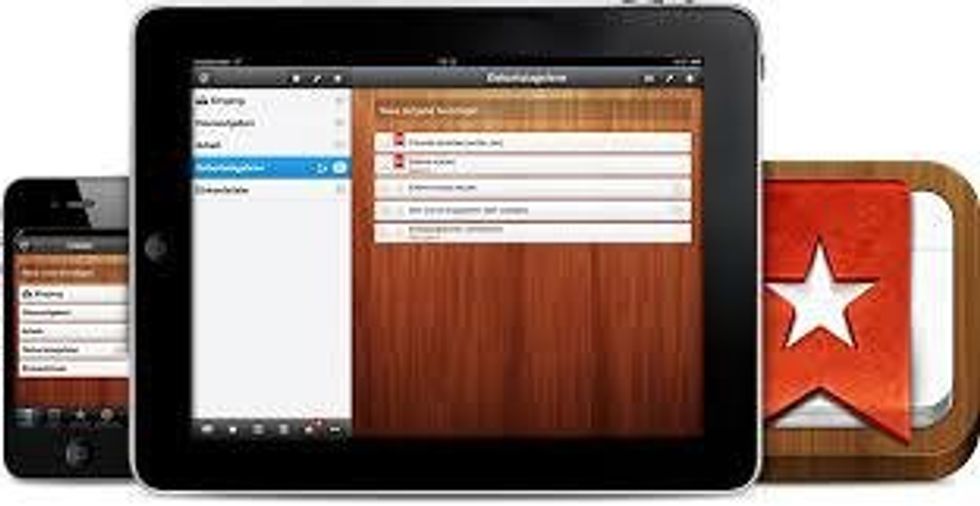
When you first open the app, it already gives you several suggested lists to start creating in order to better organize your life. People around the world are able to document their ideas, grocery lists, tasks, travel plans, and more, all in one central place that is accessible no matter where you are or what device you are using. Wunderlist instantly syncs across all devices, so for me, that includes only my phone and laptop, but it also has tablet capabilities for anyone who also uses an iPad or other tablet. One feature highlighted is family sharing, which allows you to connect and collaborate with anyone on any kind of task list. Users are able to start chats about their to-do lists, which can be helpful for delegating tasks or asking questions if to-do lists are shared. One example may be a family who shares a grocery list and certain items must be bought at different locations and by different people. This feature allows both shoppers to edit the same list and mark "done" on what items they purchased. Always forgetting your shopping list? This app solves that problem, giving you access to your list wherever you are. The app allows for attaching and sharing photos, PDFs, presentations, etc. So you can even take or add a photo of what you want to buy, which makes it a lot easier to shop when you can actually see a visual reminder of what you are looking for on store shelves. You can even organize all the tasks into different folders by category and set reminders so you never forget a task or event again.
3. Did "Wunderlist" meet my expectations?
Yes! Categorized as an "Essentials" App in the Mac App Store, I found this application to meet my expectations based on the reviews I had read. In 2013, Wunderlist was ranked as the Mac App of the Year, and I can certainly see why. Being more productive and more efficient with time is always a way to get more done during the day, while also staying better organized so as to not miss important deadlines. The free version of Wunderlist has everything that I need, so I do not see any reason to upgrade, which makes the app free for me. The free version limits you to 25 assignees, 25 subtasks, 5MB attachments to your tasks, and 20 backgrounds (There's an Italian city background that's available only in the premium version that I want, but it does not take away from the app functions without it.) The app advertises being able to quickly add to-do lists, and I have been able to do this on multiple devices. One of the features I love is the ability to split the tasks into folders, which is also visible in the divided to-do lists organized by "Today" and "Week." Some people are good task managers but sometimes cannot prioritize, especially if a list does not give precedence to items due sooner. This application alleviates that problem, which I find to be very helpful and which also met my initial expectation before my review.
4. Improvements?
Wunderlist isn’t perfect. I think there should be an "Add" button after entering the to-do information on the computer version of the app. My first attempt at using the app on my MacBook left me with no items on my list because I did not know I had to press enter for the to-do item to be added to my lists, at least for the webpage and Mac version. The phone app DOES have a clearly labeled "Add" button, which is very helpful. One thing that the app does not offer is a full calendar layout that allows the user to view a whole month at a time. I think this would be a welcome improvement.
5. Do I recommend "Wunderlist?"
Yes. I highly recommend this app if you are looking to be more productive and stay organized. Overwhelmed with tasks and due dates? This app is a lifesaver. Not only does it prioritize your tasks based on the due date YOU select, but it also organizes these tasks based on the folders you create. I know what I need to get done in each "section" of my life: classes, work, my sorority, my sports teams, and miscellaneous items. I used to put all of my events AND assignments into my iCal and a paper planner book from the school Bookstore. With Wunderlist, I don’t have to do that. I am now able to separate my tasks and my events so I am not overwhelmed or distracted by seeing everything on my calendar and end up missing something that was important because of having too many things to look at in one place, and the app is paperless, so environmentally friendly fellows will be happy, because everyone is saving trees by not using paper to-do lists. This app is simple, detailed, and easy to use for all your to-do lists and collaborative needs.
6. Final Thoughts?
This app is a must-have for college students, businesswo(men), chefs, and just about anyone else who is looking to stay organized. The above information provides only a brief overview that includes pros and cons in order to give you a better insight for a future download or purchase of Wunderlist. To review, I think the advantages of downloading the Wunderlist application are as follows:
- Allows you to organize ANY & ALL lists with folders
- Allows you to access these lists from any device (smartphone, tablet, or computer)
- Allows you to quickly and easily share any lists with friends, families, and co-workers
- Allows you to set reminders so you don't forget something important
- It's PAPERLESS
So that’s it. If you are looking to better organize you life, then give Wunderlist a try.