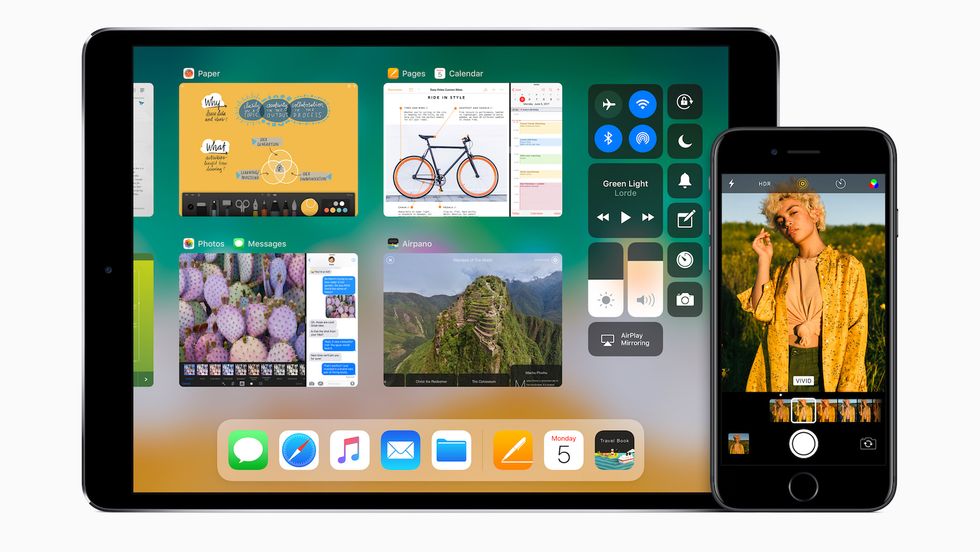
Every year, Apple Inc. releases new software updates for all of their devices. This year (on June 5) to celebrate their 10 year anniversary of the iPhone, Apple introduced iOS 11, along with other updates and new Apple products in their annual keynote. On June 26, Apple released the first beta of iOS 11 to the public beta testers.
So… What makes iOS 11 different?
1. The updated interface
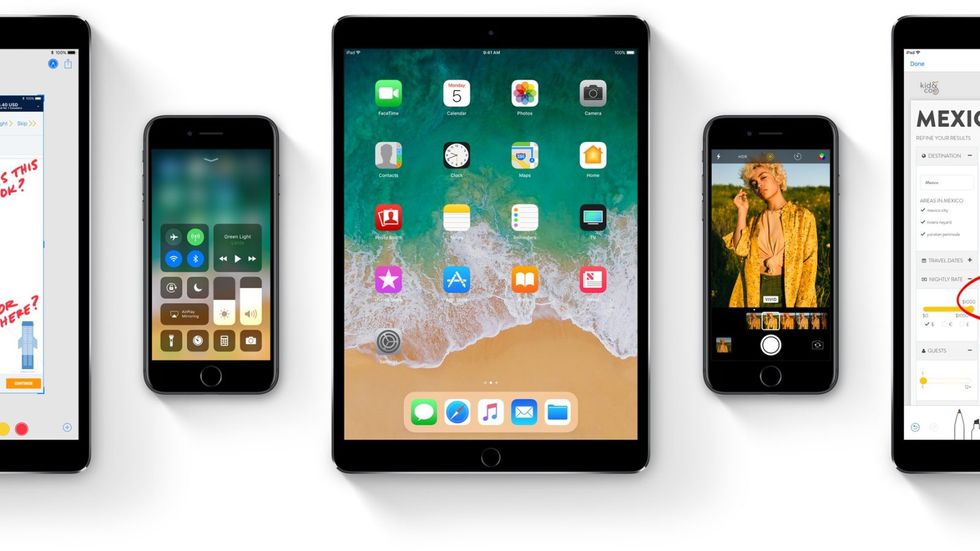 With the new notification style and Apple music redesign in iOS 10, Apple wanted to unify the whole operating system with this new interface. From the moment you update your device to your everyday tasks, you will notice quite a bit of change, first off being the interface.
2. Lock Screen
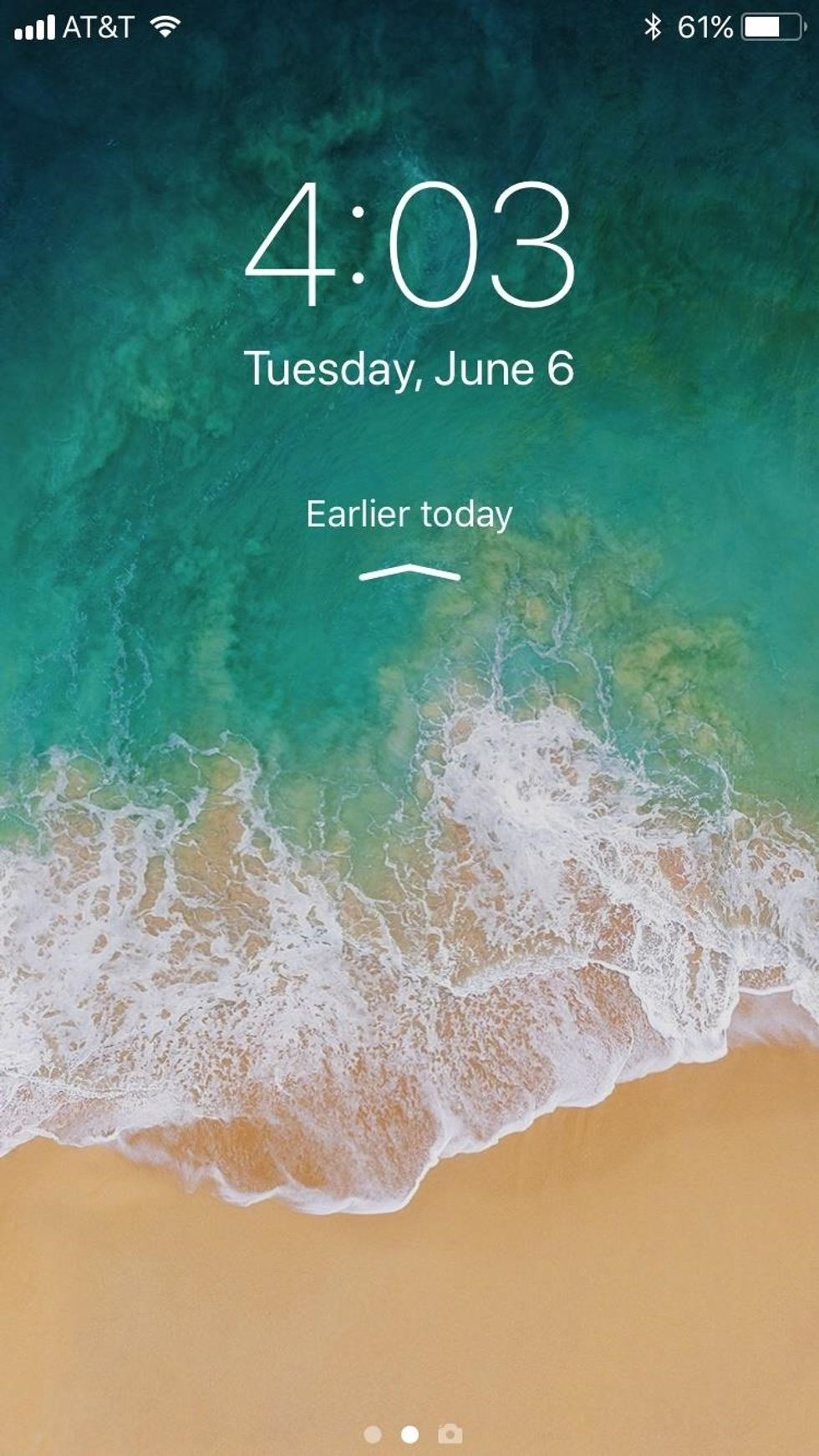
When you finally update your device to iOS 11, you might notice that the "Lock Screen" looks the same. Widgets on the left, Camera on the right. So what's different?
Well, the "Lock Screen" now acts as your notification center. You will see your recent notifications, then swipe up for earlier notifications.
To access the “Lock screen” once unlocked, it is basically the same process. Swipe down. FYI, It will not lock your device. To read a notification in full, 3D touch (or long press) on the notification.
When you unlock your phone, the interface has changed to a bolder type. The passcode buttons don't have an outline like they did in iOS 10, which can also be found throughout the OS system.
And, the music controls for the lock screen are different on iOS 11. The music controls are similar to what you see with the music control page on iOS 10.
3. Redesigned Controlled Center
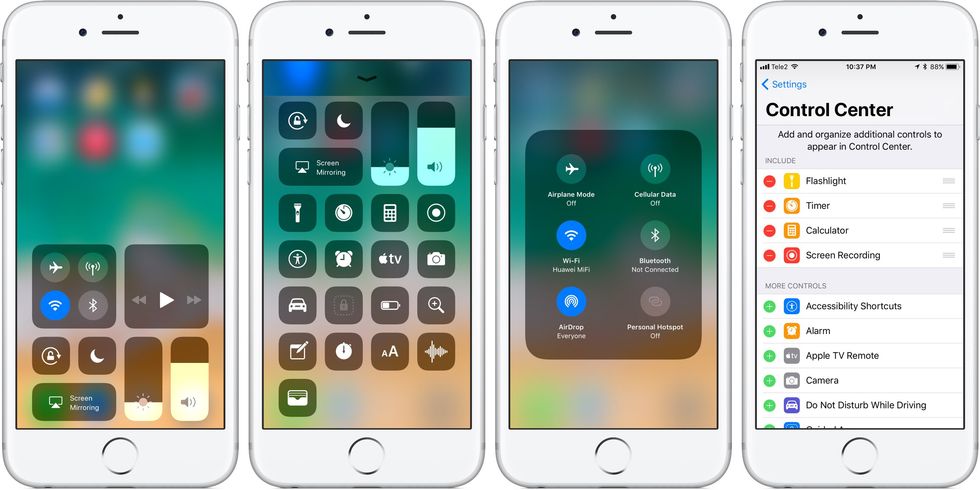
Apple completely redesigned the control center in iOS 11. Now when you swipe up, you get a page of different “Platters”. Some buttons, such as the music, the volume and brightness, can be utilized with 3D Touch (or long press) for more options. You can even customize what can go on the control center and in what order under settings.
Within the control center, you will find two new features Apple has implemented.
The first one is the ability to screen record. Apple has finally enabled users to screen record their devices. To enable it, you would have to go to settings, control center and add it to your control center. All screen recordings will be placed in the photos app.
The other feature is “Do not disturb while driving”.
Like the screen recording feature, this has to be enabled in settings. This feature turns off all notifications, and any incoming calls will instead receive a message that you make in settings. You can set it to turn it on when the iPhone is connected to the car’s Bluetooth, or do it manually. If there is an incoming all, and the phone is connected to Bluetooth, then the phone call will be allowed. If not, then it will be blocked.
4. New Files App
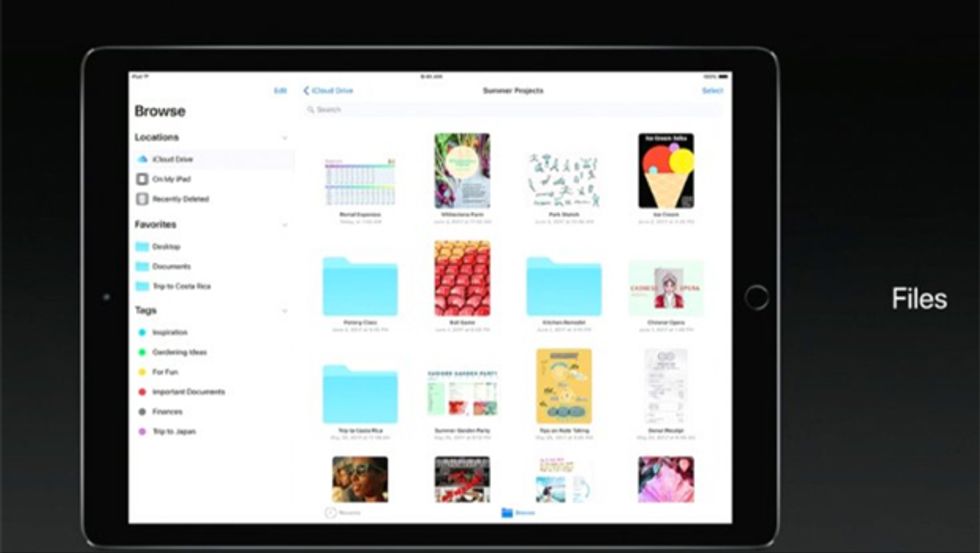
The new Apple Files app brings up all of your Cloud Drive services, such as iCloud, Google Drive, Dropbox and, soon, OneDrive, all into one app. This also allows users to store various files from other apps in a Mac Finder kind of style. Apple Files is a new way of storing files on your phone without downloading multiple apps.
5. Redesigned app store
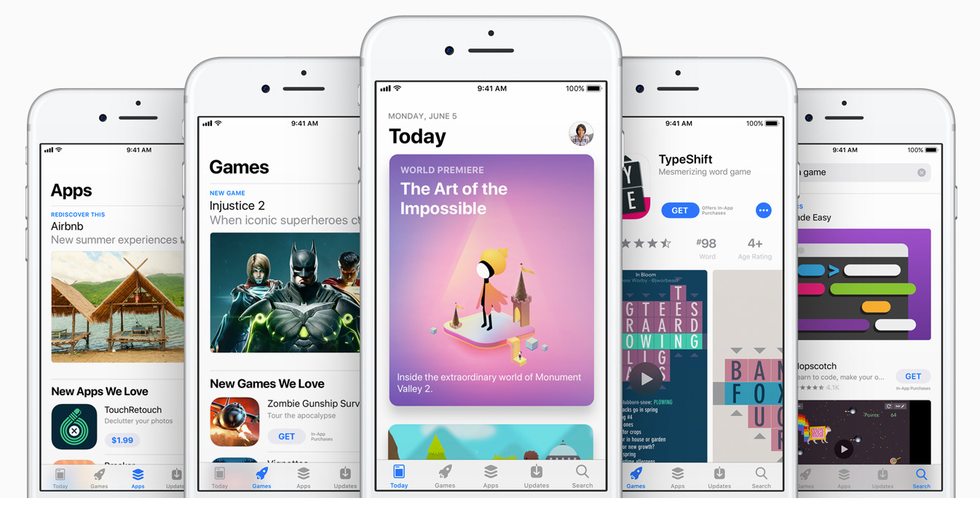
Apple, in iOS 11, redesigned the app store to give you a simpler experience. In the app store, you have different tabs: today, games, apps, updates and search. Within those tabs are visuals of apps that make it more eye appealing to the user. When you go to download or purchase an app, it provides more information in a convenient way, such as star rating, more screenshots and videos.
TIP: To access the apps you have purchased, go to updates, then click on your profile, then click on purchases. Also under your profile, you can send gifts and redeem, whereas those options were at the bottom of the app store in iOS 10 and below.
6. New Siri improvements
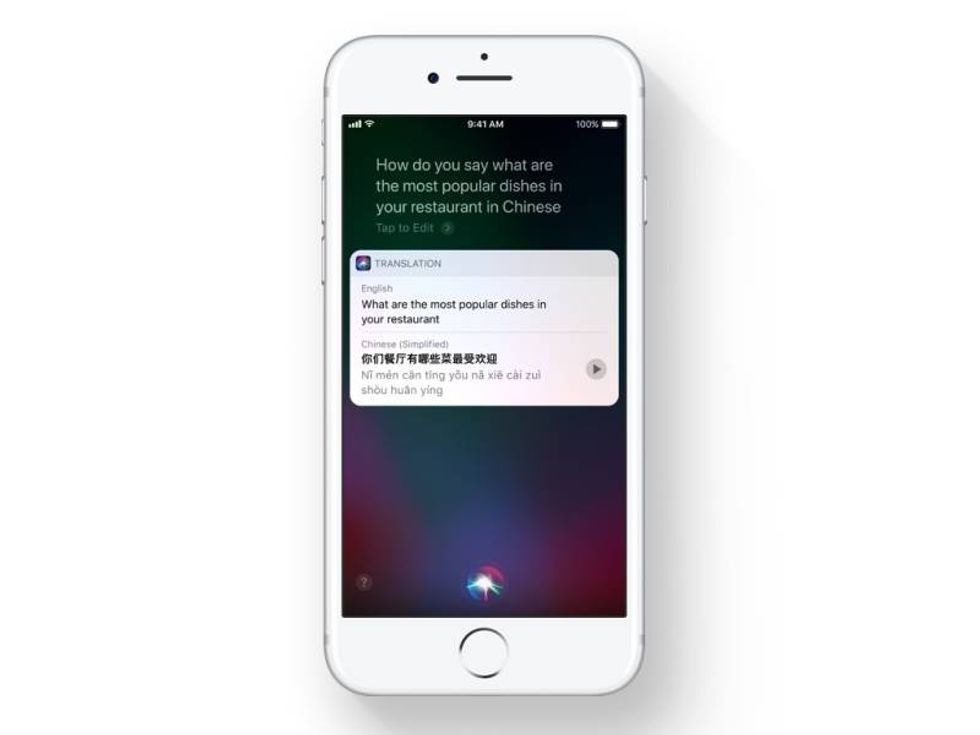
Siri in iOS 11 got new improvements as well.
She became more intelligent and even has a more natural voice. When you activate Siri, the response screen looks more unified with the iOS 11 interface. Also, you can now type text to Siri, instead of voice searching. Also, something big that Siri can do is now she can translate into other languages. So if I asked her, “How do I say hello in Chinese?” Siri will respond with “nin hao”.
Siri will also be able to learn about you by learning what you do. Then she will use this to recommend stuff depending on what the user wants.
7. Updated video player in Safari
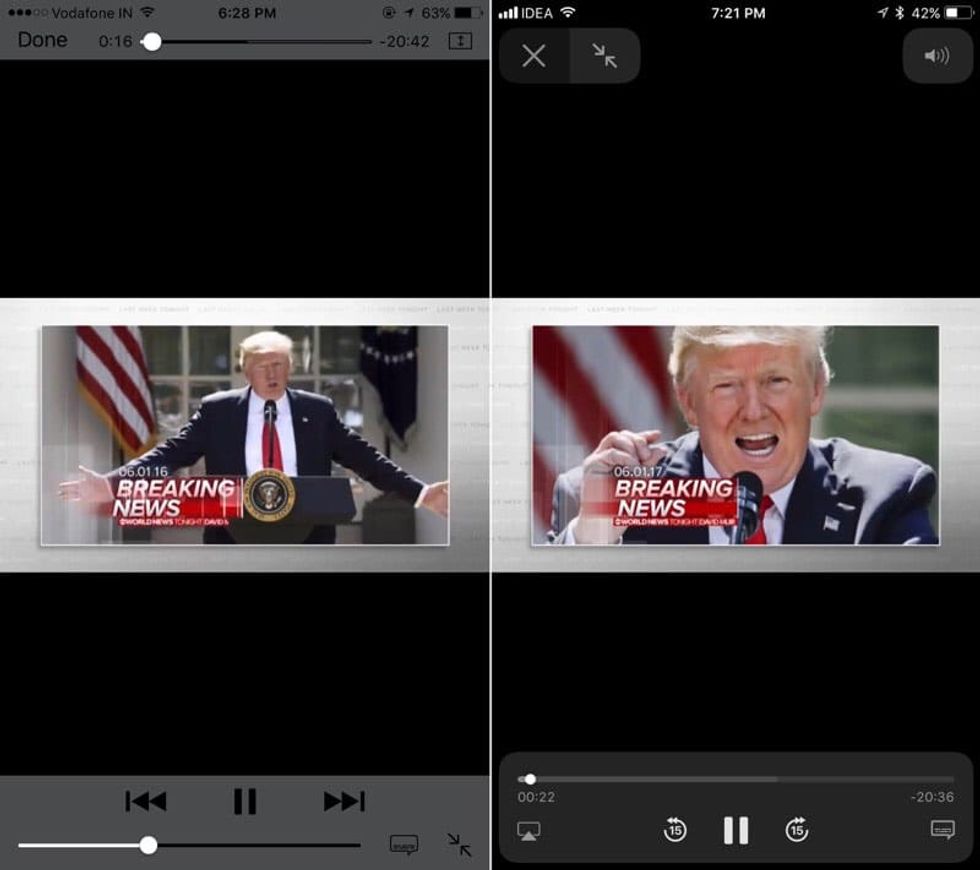
When you now watch videos in iOS 11, you will now get this Netflix-style video player. Instead of the video scrubber on the top, it is now at the bottom, but you can still scrub 1/2, 1/4, etc. And, the player itself is more transparent than iOS 10. The player is now easier to use.
8. Maximize your iPhone storage
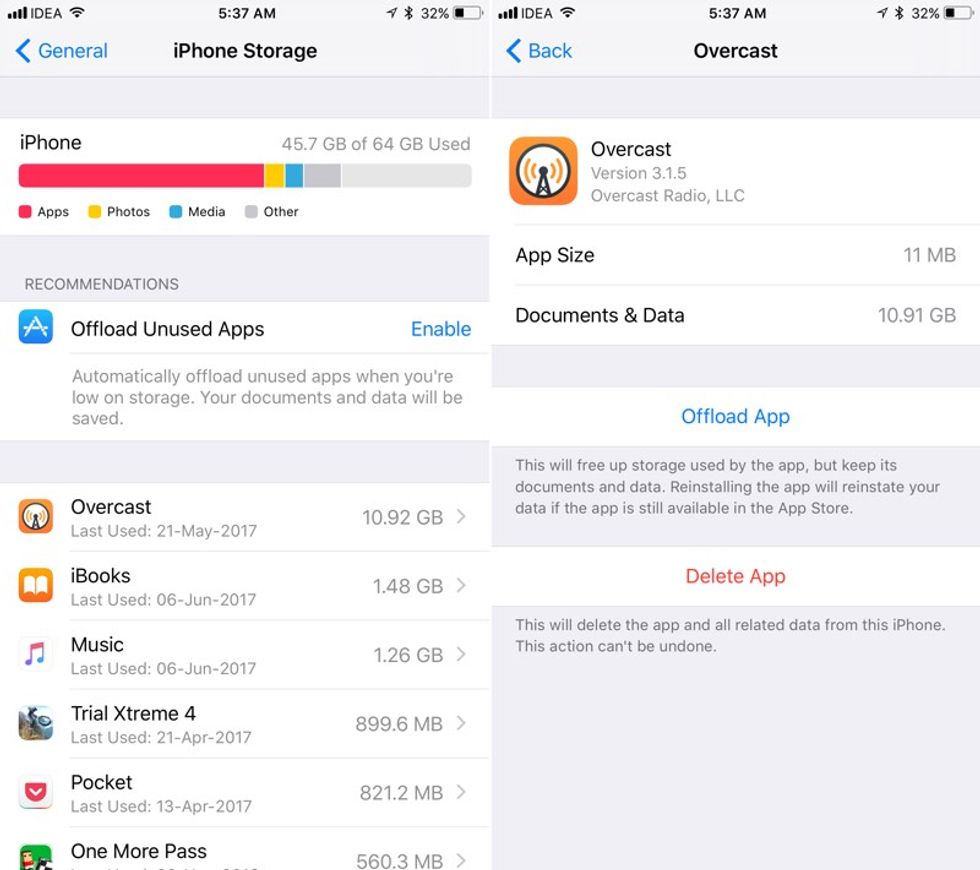
In iOS 11, Apple has provided a way to get more storage out of your phone (so you can save those cat videos).
Go to settings, under general, then iPhone storage; you will see a few new recommendations to help save your phone’s storage. Some of them may include iCloud Photo Library, delete your recently deleted album in photos, messages in iCloud, etc.
There is also a feature called “Offload unused apps”, which when enabled, will automatically remove unused apps, but keeps all the documents and data for the app. Once reinstalled, you can access your documents and files again.
9. Camera and Photos improvements
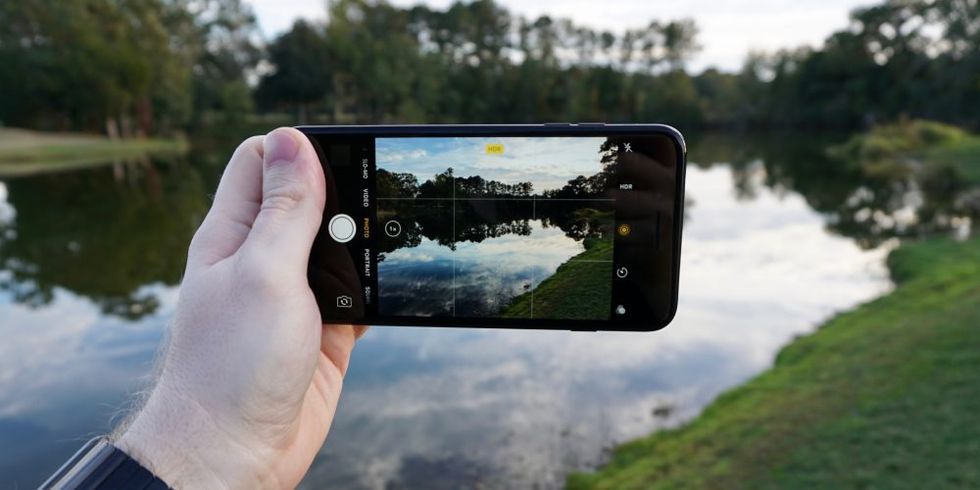
Even the photos and camera got a massive update as well.
First, let's talk about the Photos app.
The interface is more common with the Operating System. According to Macrumors, Apple is adopting new video and photo formats that will help shrink the size of the photos and videos you take to get more storage out of your phone. You can do more with editing live photos, such as cropping and new effects. Finally, while viewing a photo or a video, the edit button is now on top.
Now, let's talk about the camera app. When you swipe up from the camera screen, you can now easily access the filters (but if you prefer the button, it is still located at the top right corner). In other features, you can now scan QR codes in the camera app. When you scan, it will give you a notification of the link to the QR Code.
10. Connect with friends on Apple Music
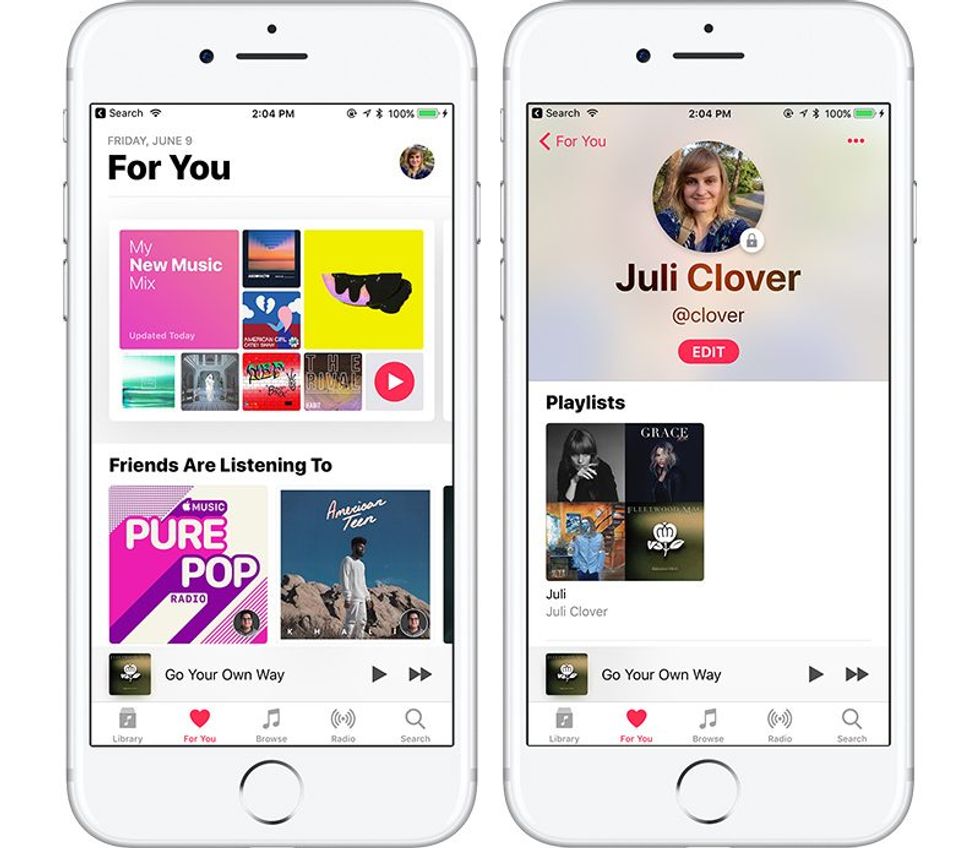 On iOS 11, Apple Music subscribers can now follow their friends and explore new music like never before. Users can see their friends' playlists, add it to their own playlist and share with other people. This feature brings back the Apple Music Connect feature when the app first launched.
11. Misc. Changes
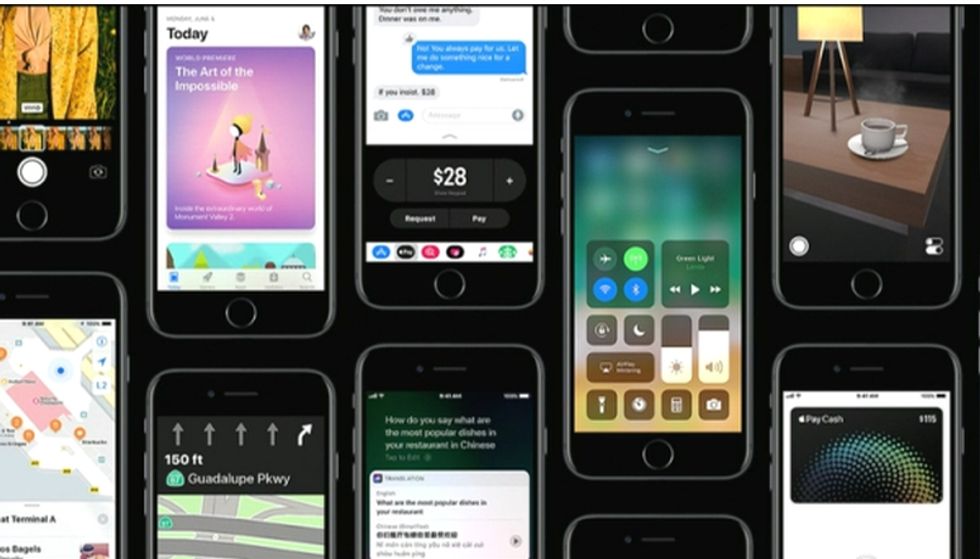 There are other minor changes that take place in iOS 11. First off, the dots to show data coverage are now the usual bars. Throughout the OS, there has been a huge overhaul in design changes, although it is not noticeable to the user. In messages, not only the app drawer is redesigned, but also you can now send money to people using Apple pay.
What is expected as of now?
iOS 11 has a lot of new features and improvements to enhance the iOS and phone experience. Please note that iOS 11 is still in beta from the day this article is published. The final version of iOS 11 will be realized in the fall, along with the new iPhone 8.
To learn more about iOS 11 and to see which devices are compatible, click here to be redirected to the Apple website. To try iOS 11 out for yourself, Click here .