


I am a human being. So, therefore, I own an iPhone. And I save everything on that iPhone, so naturally it bugs me at least twelve times a day that my storage is running out. Today it got to the point where I wasn't receiving text messages anymore because I had no space. Don't let this happen to you, too. By doing these 10 things, I went from having less than one gig of free space to over 4.5 gigs of free space! Do them do them do them!!
1. Move all your apps onto one page. When you use an app, put it on a second page.

Do this for a week. At the end of the week, any app that you still have on the first page, delete. You don't use it anyway.
2. See which apps are taking up the most storage, and delete them if they're not necessary.
Go to Settings > General > Storage & iCloud Usage > Manage Storage.
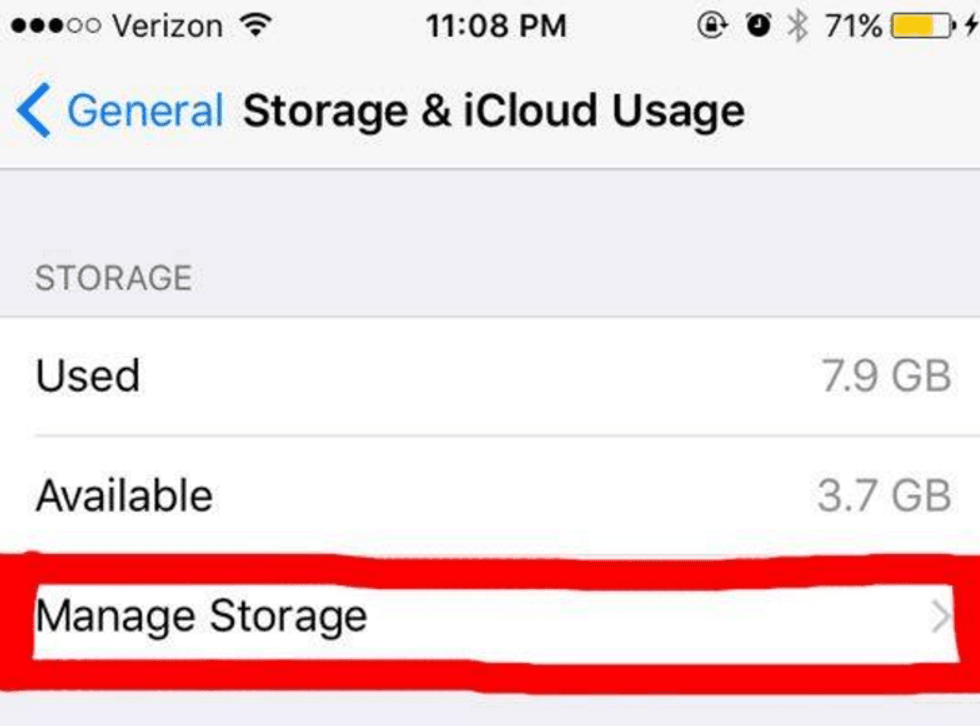

Here you can see which apps are taking up the most space on your phone, and it will tell you exactly where to delete information from. No more guessing games. (You can also clear up your iCloud storage here, in order to move some stuff to the cloud to make more room).
3. Get rid of your Photo Stream.
Go to Settings > Photos & Camera, then turn off "My Photo Stream."
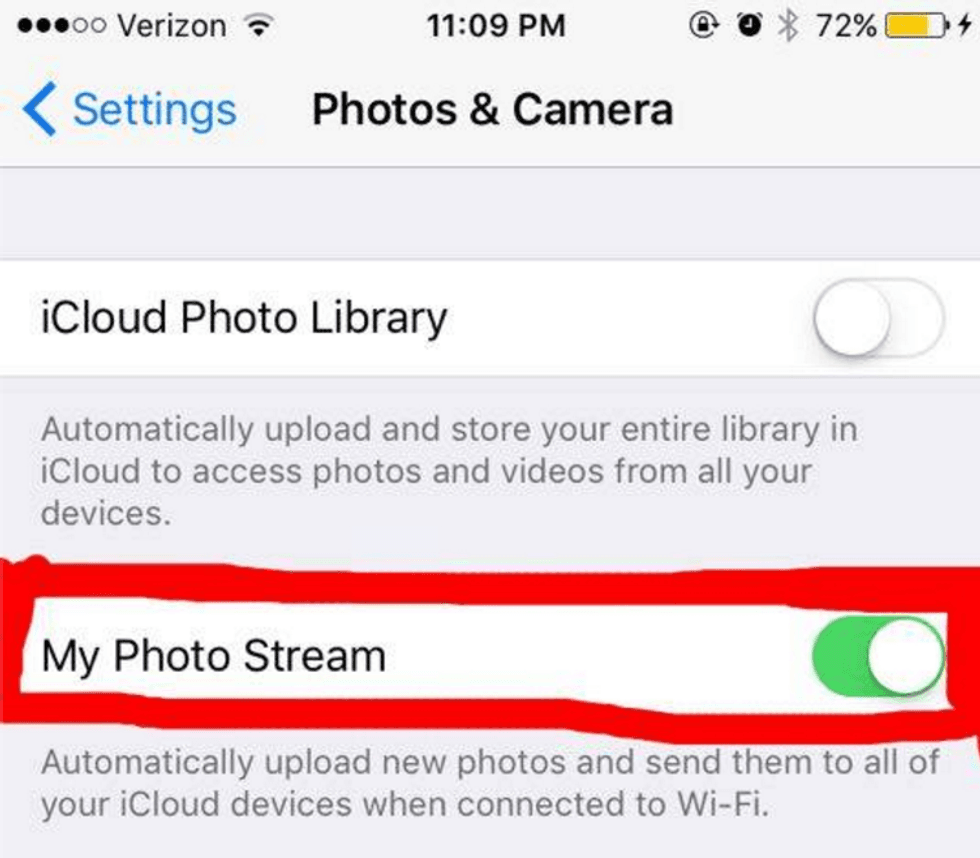
This will save you tons of memory, because your photo stream holds pictures from iPads and computers that you've used in the past.
4. Delete your deleted pictures.
Go to Photos > Albums > Recently Deleted > Select > Delete All.
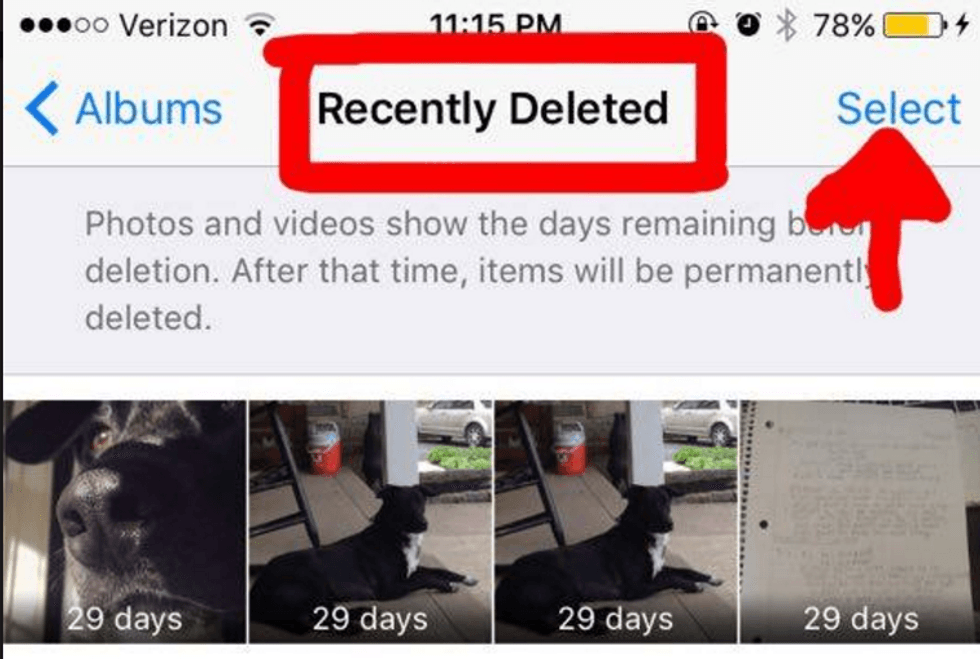
I know it sounds crazy, but your deleted pictures don't actually go away when you delete them. There ya go.
5. Turn off photo duplicates.
Go to Settings > Photos & Camera, then scroll down to where it says 'HDR (High Dynamic Range)', and deselect "Keep Normal Photo."

If you have an iPhone 4, then keep this setting on; but iPhone 5 and newer, the camera technology is modern enough for your HDR to capture solid images without you needing to keep the original.
6. Delete your Notes and old iMessages.
You probably know how to do this already, so here, have a gif:
I know this sounds obvious, but we tend to forget that they're even there, and if you're like me you have a million of them from six months ago that you never look at anymore.
7. Set your messages to delete themselves automatically after 30 days.
Go to Settings > Messages, then scroll down to where it says "Keep Messages" and select your desired time frame.
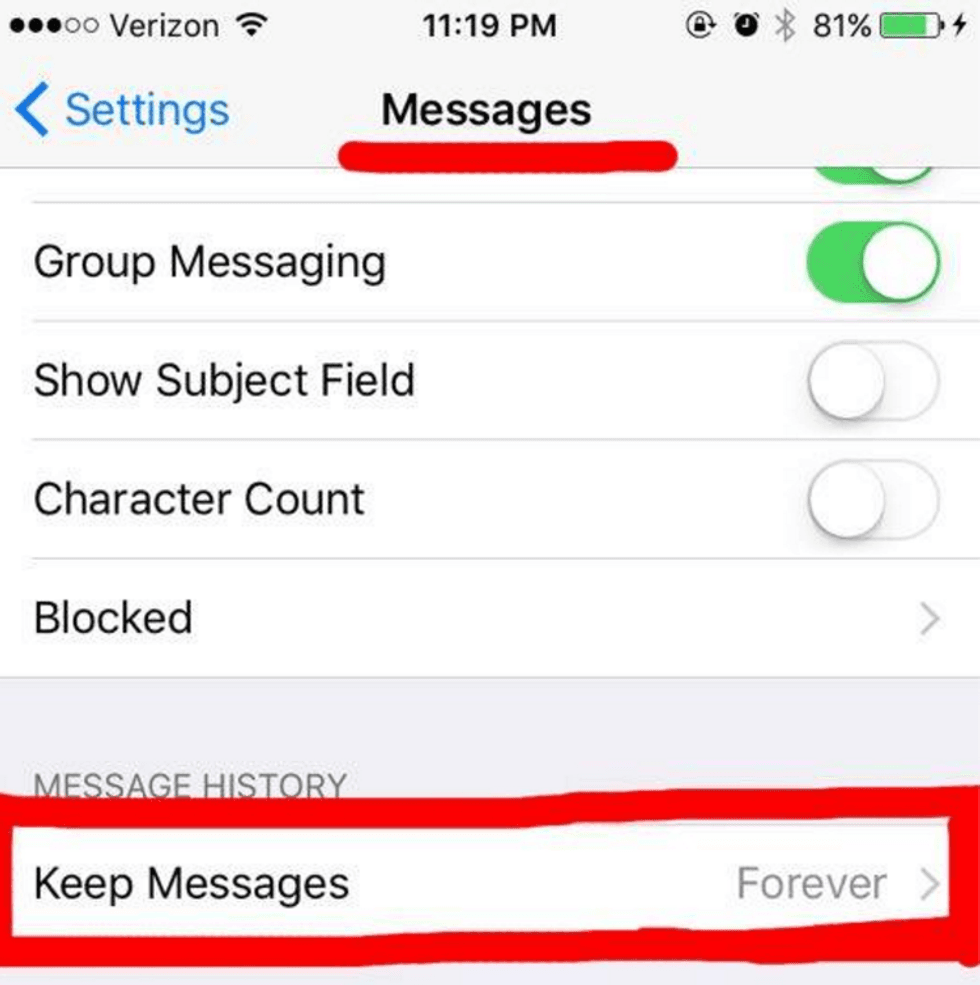
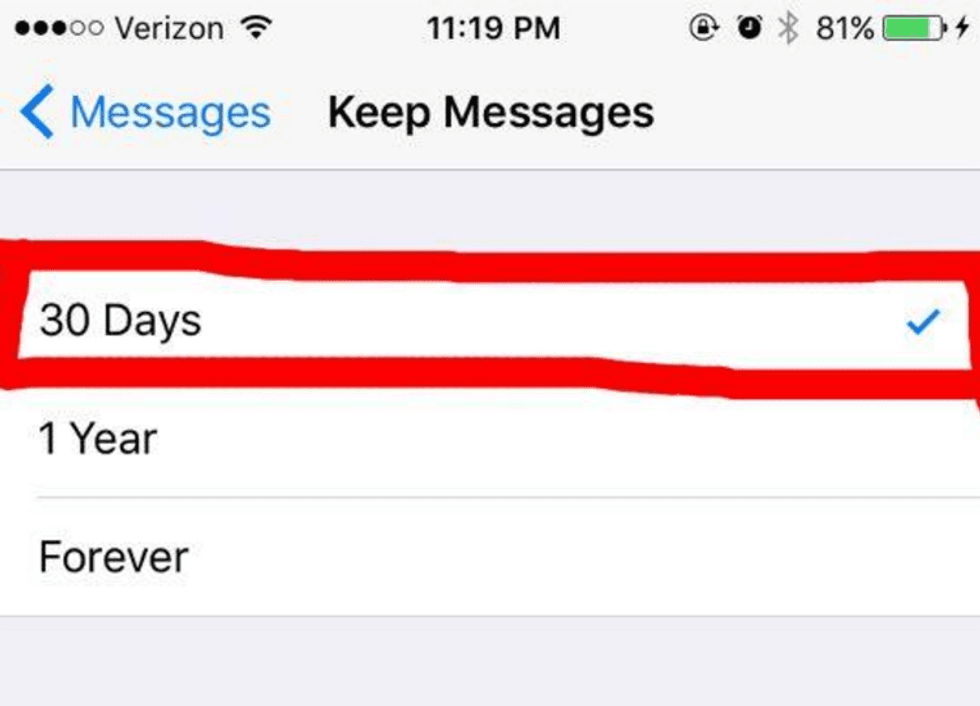
Now you don't have to do it manually, and you no longer have to count on your ability to remember to delete your messages. Don't lie, we all know your memory is shit.
8. Clear out your web browser cache.
See the links in captions for instructions. I don't have pictures for this one either, so here, take another gif:

The instructions for this are going to be different for whichever browser you use; if you use Safari, follow these instructions. If you use Google Chrome, follow these ones.
9. Delete your Safari website data.
Go to General > Settings > Storage & iCloud Usage > Manage Storage > Safari > Website Data Edit, then delete as needed.
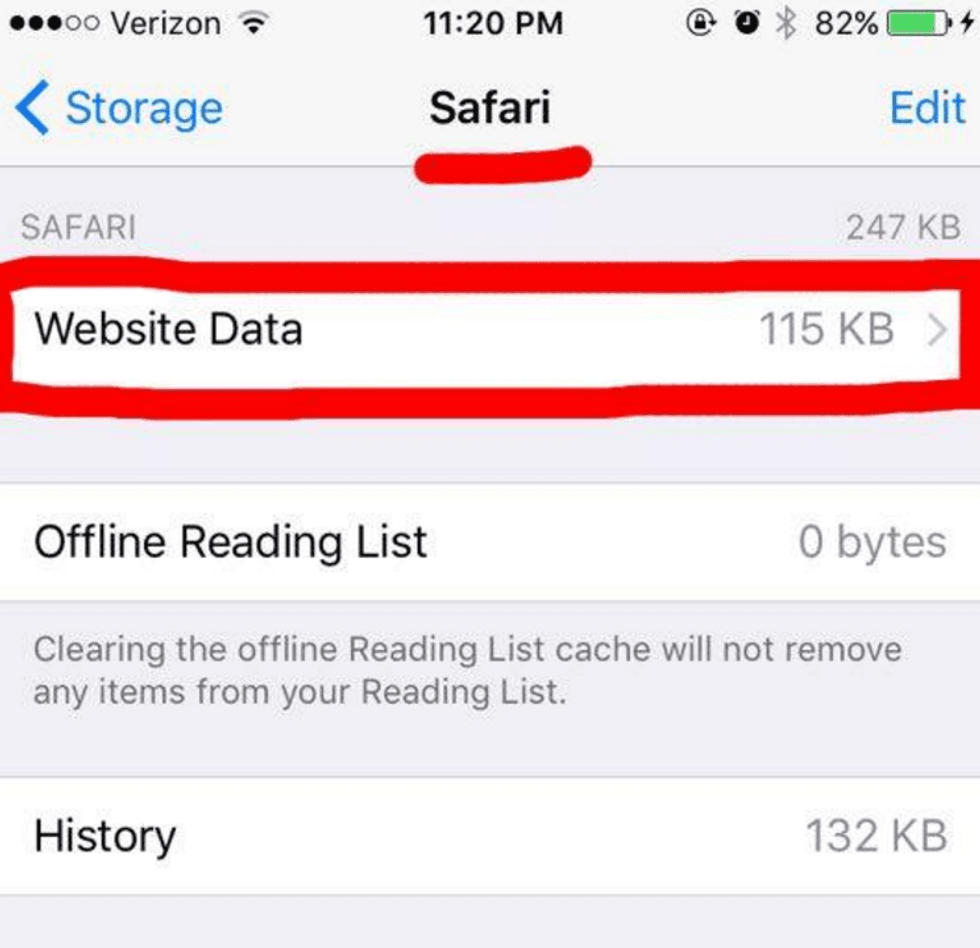

This ensures that you're not wasting memory on websites you haven't visited in weeks.
10. Delete your recent calls.
Go to Phone > Edit, then delete as needed. If you want to delete them all, then just hit "Clear."
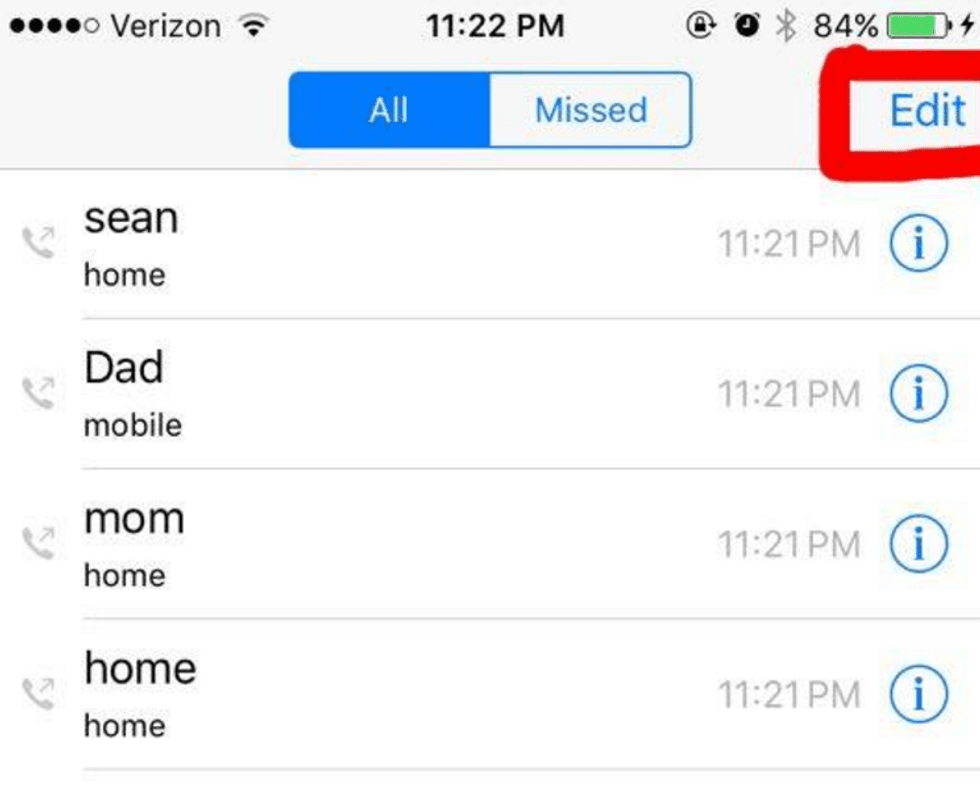
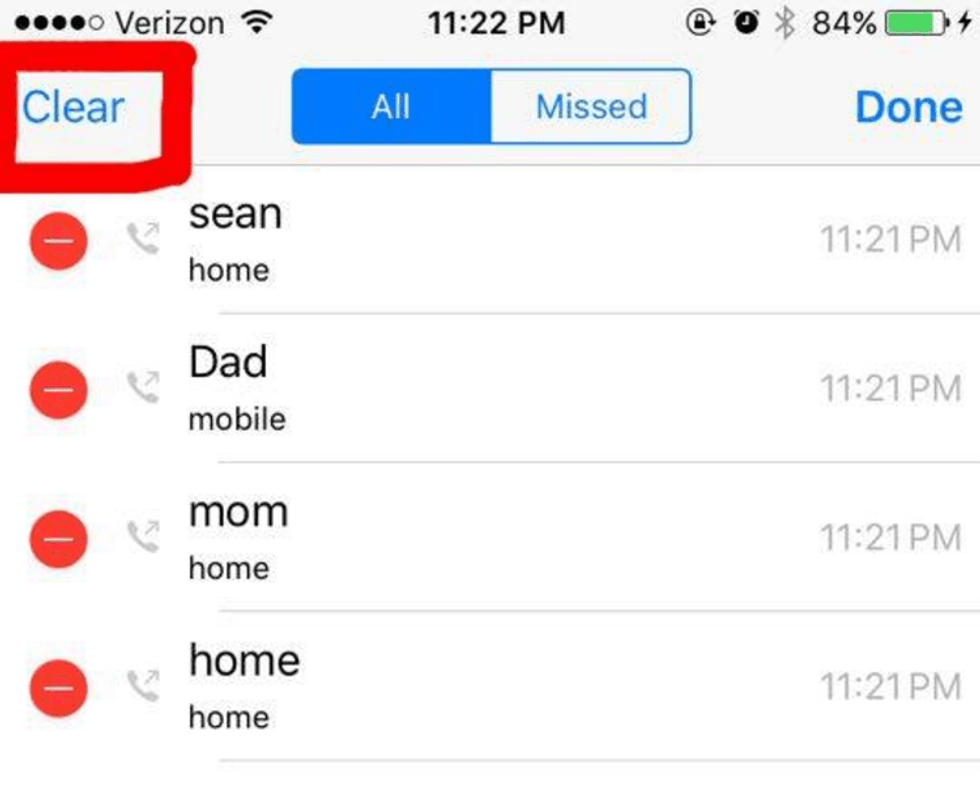
You have no reason to keep these, since your call records will most likely show up on your bill anyway.
11. Celebrate your new available storage!!
And, in case you haven't figured it out yet, I really, really like The Office.