
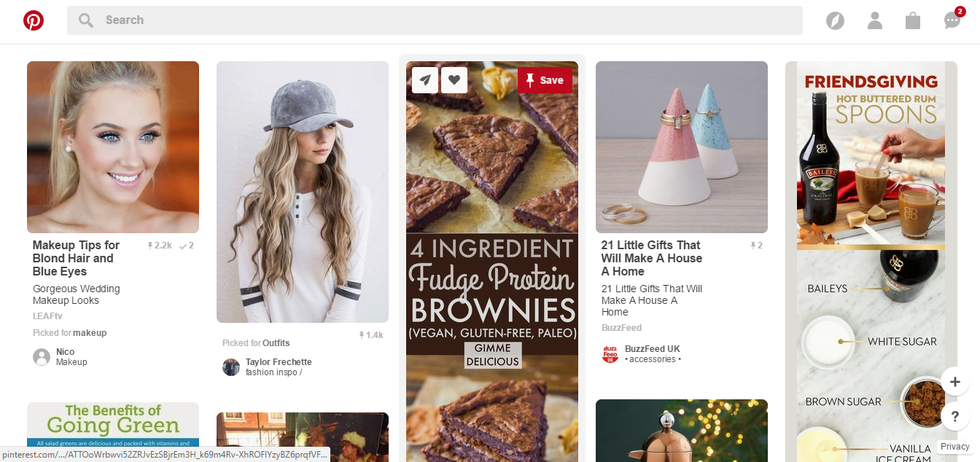
Anytime anyone asks me what Pinterest is or how to use it I always describe it as follows; the app/website is one big desk and every board you make is a drawer of that desk. You basically sort your dashboard like a junk drawer, slowly cataloging and saving the important pictures, articles, recipes and how-to's. Pinterest has everything you're looking for; whether you're searching for a low-fat smoothie, how to wash a beauty blender, or how to build a hyper-realistic airplane model.
 To get yourself started on Pinterest there are a few easy steps/tips to follow:
1. Create your Account
When doing this you can either create an account using an email or connect your Facebook to Pinterest. Both options work basically the same. but when you connect with your Facebook it's much easier to follow/find friends to follow on Pinterest. Facebook doesn't post anything on your behalf so it's really up to you.
2. Select your interests
This step is so Pinterest can get a better idea of what you want to appear on your main dashboard until you start following different people/tags/boards. If you like seeing those cool little tasty videos then select recipes and if you like makeup hacks, then click beauty.
3. Make your first board
This is when it starts to get really fun! My first board was a board filled with inspirational quotes and sayings, but this board can really be anything. You just go to your profile and select 'Create Board,' and name it. This board can either be a public board or a secret one, meaning that only you will be able to see it. Then go crazy; search for makeup tricks, or cute Halloween costumes, or even teacup Yorkies wearing little booties and hats.
4. Follow some boards
When you've made your first search for 'Teacup Yorkies wearing little booties and hats' some pins will come up, but also a lot of boards based on the same search. This is when you can start making your dashboard very specialized towards your interests. By following boards with similar interests to you, whenever they pin something to their board it will come up on your dashboard so you can pin it or just look at it.
Once you complete these steps you'll be on your way to total mastery of Pinterest. You are now qualified to become a Pinterest fiend. Pin away!