10 Secret Features Of iOS10 You've Been Waiting For | The Odyssey Online
Start writing a post
Lifestyle

10 Secret Features Of iOS10 You've Been Waiting For

And this is just the beginning.

39
10 Secret Features Of iOS10 You've Been Waiting For
Gizmodo

Apple released yet another iOS update, sporting makeovers for just about every popular characteristic in the iPhone design. Even if you don't have access to 3D touch features, iOS 10 is packed full of new things to explore. I've listed just the tip of the iceberg.

1. Rest Finger to Open
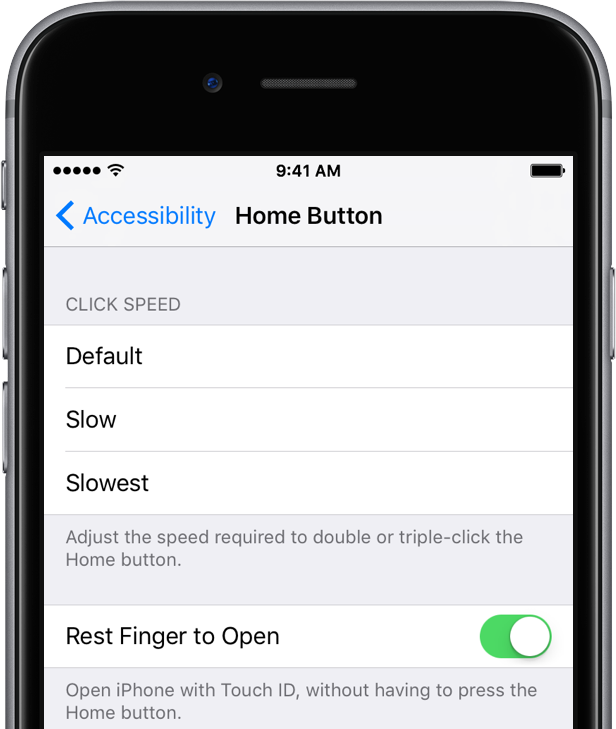
Settings > Accessibility > Home Button > Switch "Rest Finger to Open" On

This will make it so that you can unlock your iPhone without having to press the home button, since there is no more swiping right to enter your pass code.

2. Swipe Left to Open Camera
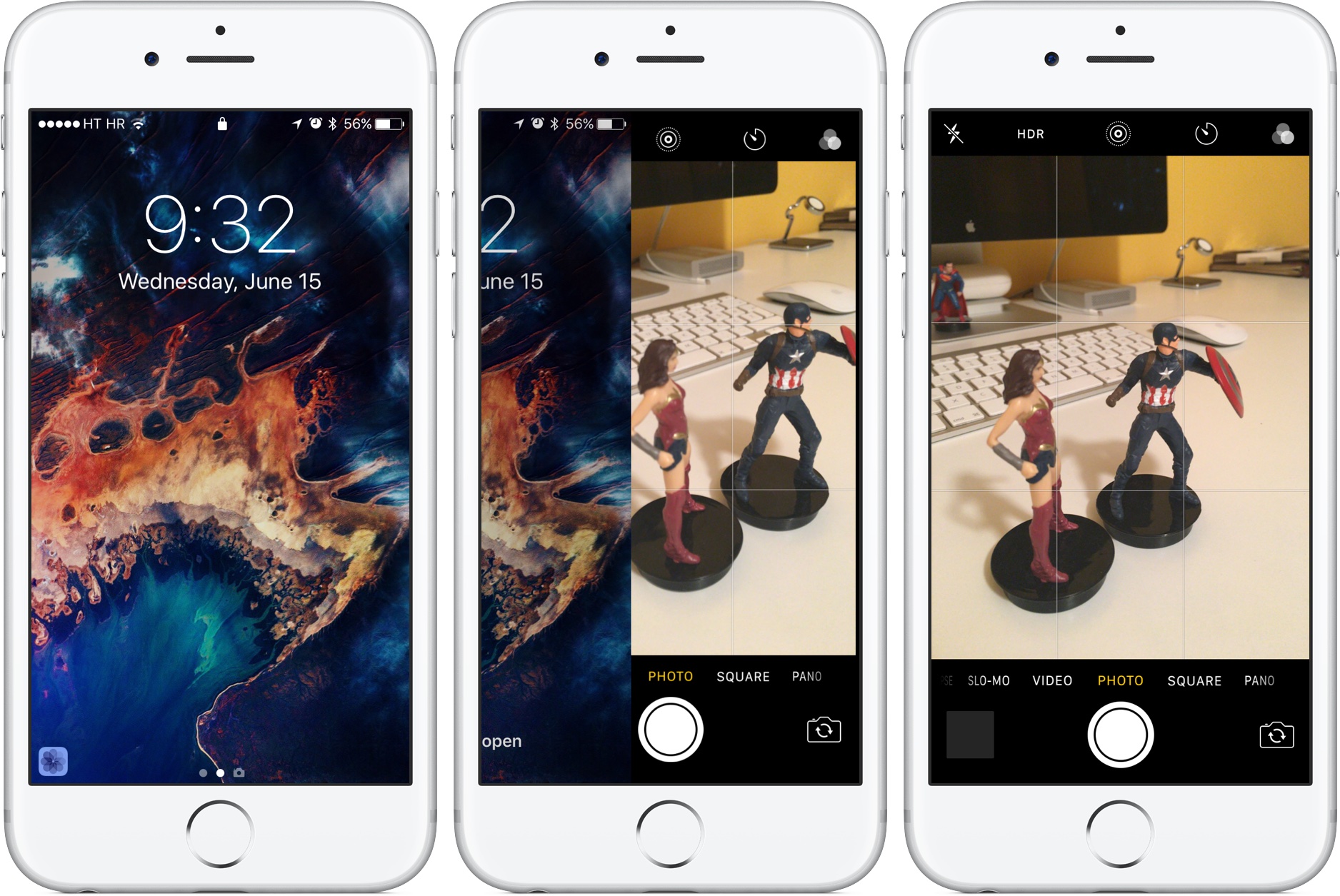
While on the lock screen, you no longer have to swipe up and click to access the camera. You can simply swipe right to left and not miss a shot!

3. Bedtime in Clock App

The Bedtime option will help you get your sleep pattern under control. Set days and times for when you want to go to bed and when you want to get up -- this feature will send you a reminder when it's time to wrap things up and get some shut eye. It also has the ability to calculate and track your sleep via the Health app to show you how you slept through the night.

4. Swipe Up for Lyrics
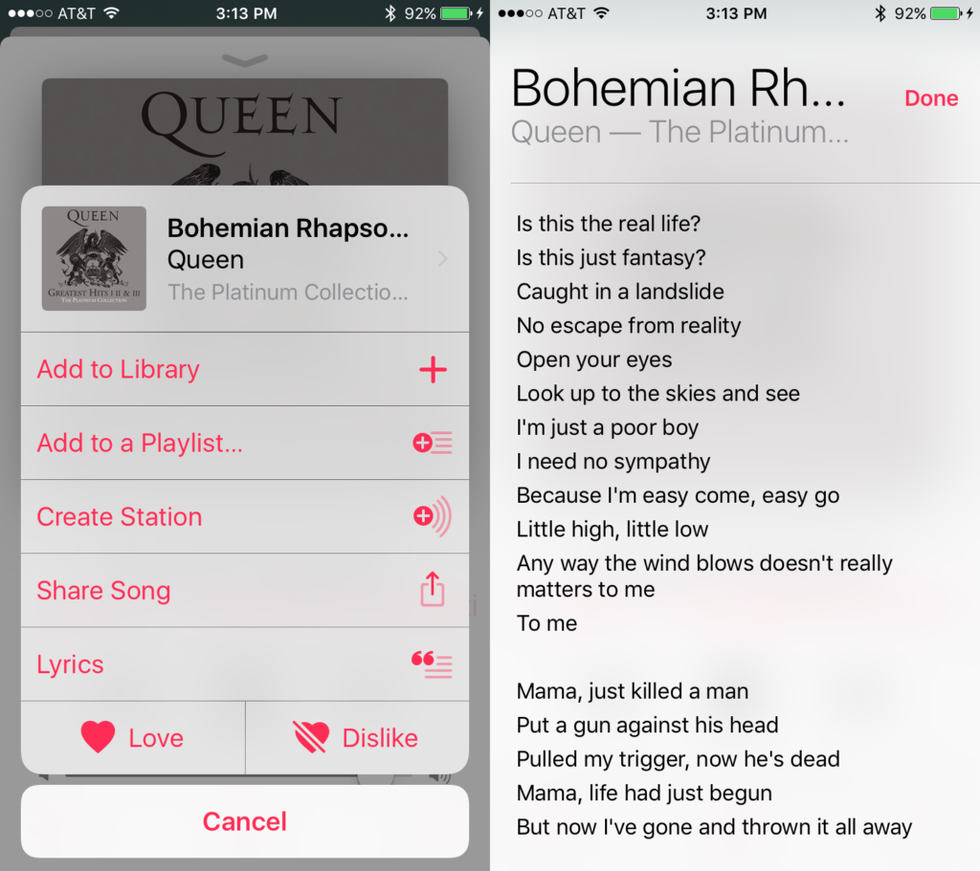
No more frustrated googling to win that argument over what the line really is -- now, you can simply swipe up on the "Now Playing" screen, and get access to the lyrics for Apple Music.

5. Remove Pre-Installed Apps
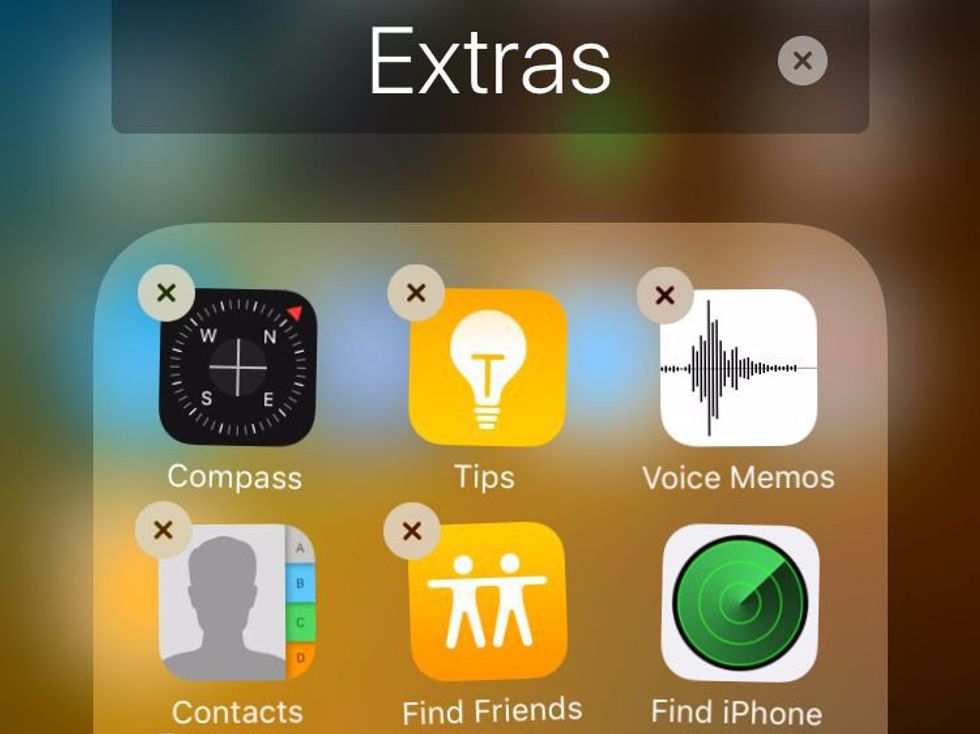
Finally! You can now get rid of the boat load of apps you've never used that have been crowding up your home screen since day one.

6. Search Your Photos

For more than just dates and locations, that is. You can easily pull up what you're looking for by searching keywords. Play around with it by typing a letter into the search box, and see just how many categories there are.

7. Markup Photos

Editing now comes with the ability to doodle, insert text, and zoom in on photos when you click on the ellipsis and choose the "Markup" option. Yes, it is now even easier to turn your friends into terrible memes. (You can access Markup in Messages as well by holding down on the photo you want to sent).

8. Emoji Replacement
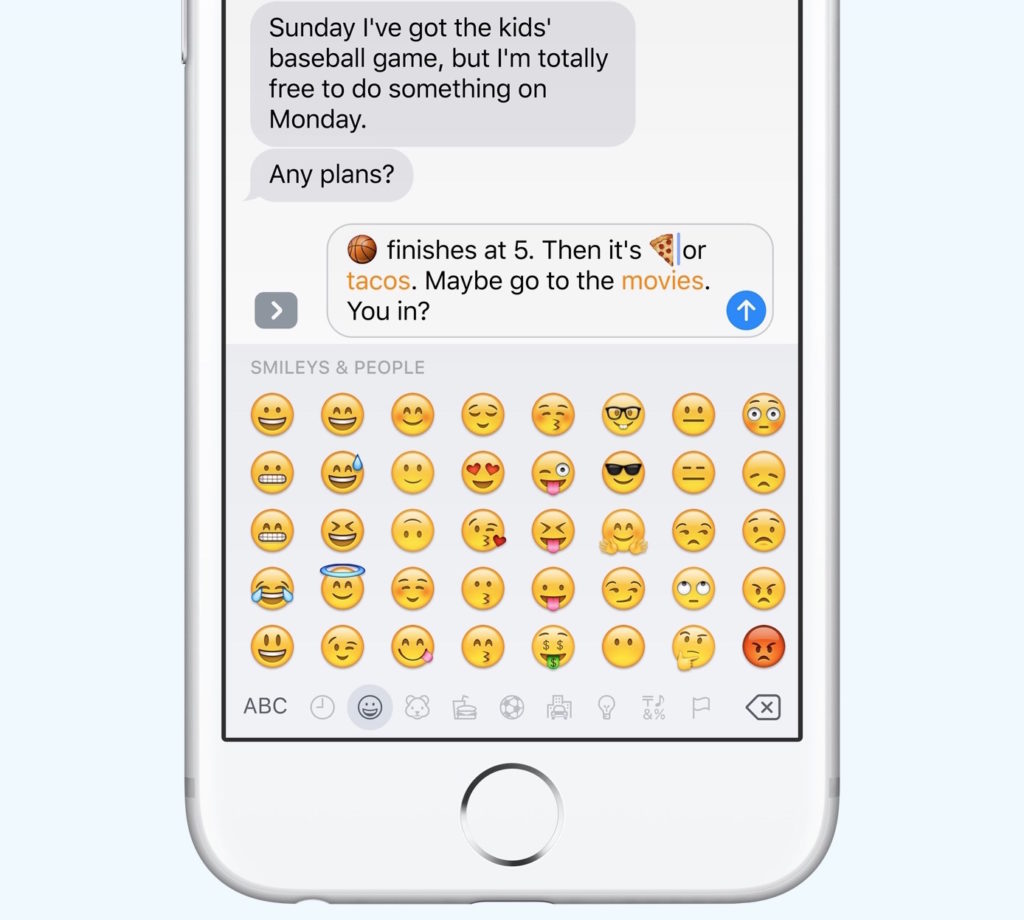
Search for emojis within a text message! Apple has linked certain word recognition to make them easier to find. So, next time you're texting, and some words turn yellow, click on them to replace them with emojis.

9. Message Effects
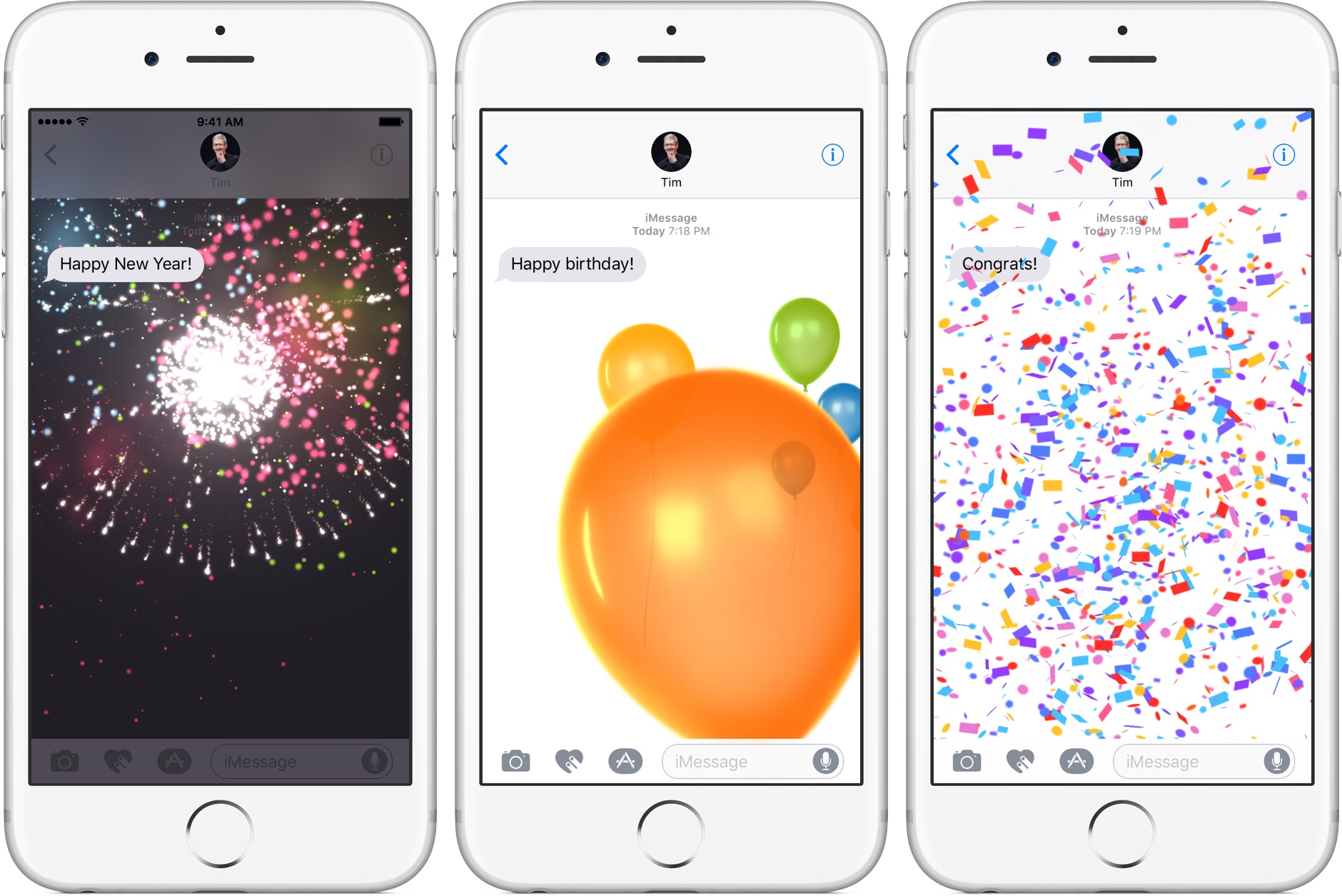
In case you haven't figured it out already, Messages got a whole new makeover (my personal favorite part of iOS10). Hold down on the blue send arrow to add some drama to your bubble, and/or click on "Screen" to swipe through all of the different effects that can give your message a little more flare (These effects work with sending photos, too!).

10. Suggestions on Apple Maps
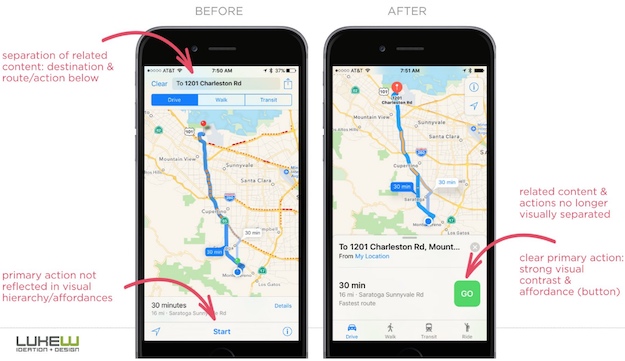
Maps now recognize frequently traveled places, and it suggests them while entering your destination. You can also search for nearby places, like restaurants and stores -- much like Google Maps.


Report this Content
This article has not been reviewed by Odyssey HQ and solely reflects the ideas and opinions of the creator.
Entertainment

Every Girl Needs To Listen To 'She Used To Be Mine' By Sara Bareilles

These powerful lyrics remind us how much good is inside each of us and that sometimes we are too blinded by our imperfections to see the other side of the coin, to see all of that good.

695261
Every Girl Needs To Listen To 'She Used To Be Mine' By Sara Bareilles

The song was sent to me late in the middle of the night. I was still awake enough to plug in my headphones and listen to it immediately. I always did this when my best friend sent me songs, never wasting a moment. She had sent a message with this one too, telling me it reminded her so much of both of us and what we have each been through in the past couple of months.

Keep Reading...Show less
Zodiac wheel with signs and symbols surrounding a central sun against a starry sky.

What's your sign? It's one of the first questions some of us are asked when approached by someone in a bar, at a party or even when having lunch with some of our friends. Astrology, for centuries, has been one of the largest phenomenons out there. There's a reason why many magazines and newspapers have a horoscope page, and there's also a reason why almost every bookstore or library has a section dedicated completely to astrology. Many of us could just be curious about why some of us act differently than others and whom we will get along with best, and others may just want to see if their sign does, in fact, match their personality.

Keep Reading...Show less
Entertainment

20 Song Lyrics To Put A Spring Into Your Instagram Captions

"On an island in the sun, We'll be playing and having fun"

594190
Person in front of neon musical instruments; glowing red and white lights.
Photo by Spencer Imbrock on Unsplash

Whenever I post a picture to Instagram, it takes me so long to come up with a caption. I want to be funny, clever, cute and direct all at the same time. It can be frustrating! So I just look for some online. I really like to find a song lyric that goes with my picture, I just feel like it gives the picture a certain vibe.

Here's a list of song lyrics that can go with any picture you want to post!

Keep Reading...Show less
Chalk drawing of scales weighing "good" and "bad" on a blackboard.
WP content

Being a good person does not depend on your religion or status in life, your race or skin color, political views or culture. It depends on how good you treat others.

We are all born to do something great. Whether that be to grow up and become a doctor and save the lives of thousands of people, run a marathon, win the Noble Peace Prize, or be the greatest mother or father for your own future children one day. Regardless, we are all born with a purpose. But in between birth and death lies a path that life paves for us; a path that we must fill with something that gives our lives meaning.

Keep Reading...Show less

Subscribe to Our Newsletter

Facebook Comments